
Configure Frigate Coral TPU To Use YOLOv9 Detection Model

YOLOv9: A Leap Forward in Object DetectionTechnology
YOLOv9 marks a significant advancement in real-time object detection, introducing groundbreaking techniques such as Programmable Gradient Information (PGI) and the Generalized Efficient Layer Aggregation Network (GELAN). Source
The Edge TPU detector type runs TensorFlow Lite models utilizing the Google Coral delegate for hardware acceleration. Frigate’s docs say a TensorFlow Lite model is provided in the container at ‘/edgetpu_model.tflite’ and is used by the EdgeTPU (Coral) by default. The YOLOv9 detection model is more accurate but slower. YOLOv9 for Coral is not included by the default Frigate install so you have to download the .tflite model and label file, then point Frigate to them.
The YOLOv9 Coral model uses a smaller 17-label COCO subset, and the label file includes person, car, bird, cat, dog, horse, sheep, cow, bear, etc. The Coral YOLOv9 label file only contains 17 COCO-style labels, not the larger Frigate+ label set.
SSH into your Synology
- SSH into the Synology NAS
- Run:
sudo mkdir -p /volume2/Containers/Frigate/config/model_cache
Download the YOLOv9 Coral model
- Run:
sudo curl -L \
-o /volume2/Containers/Frigate/config/model_cache/yolov9-s-relu6-best_320_int8_edgetpu.tflite \
“https://github.com/dbro/frigate-detector-edgetpu-yolo9/releases/download/v1.0/yolov9-s-relu6-best_320_int8_edgetpu.tflite”

Download the 17-label file
- Run:
sudo curl -L \
-o /volume2/Containers/Frigate/config/labels-coco17.txt \
“https://raw.githubusercontent.com/dbro/frigate-detector-edgetpu-yolo9/refs/heads/main/labels-coco17.txt”

Confirm the files exist on the NAS
- Run the following commands one at a time:
ls -lh /volume2/Containers/Frigate/config/model_cache/
ls -lh /volume2/Containers/Frigate/config/labels-coco17.txt

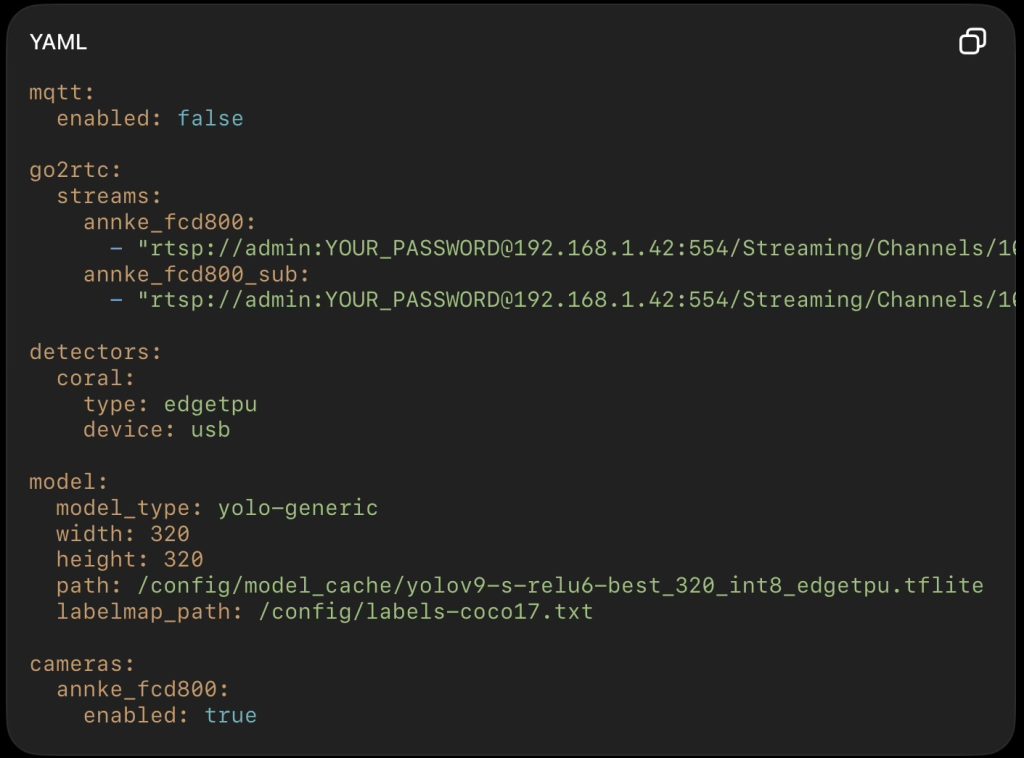
Edit the Config.yml File
- Open the config.yml file located at /volume2/Containers/frigate/config
- Add this below detectors: and above cameras: and aligned with both:
model_type: yolo-generic
width: 320
height: 320
path: /config/model_cache/yolov9-s-relu6-best_320_int8_edgetpu.tflite
labelmap_path: /config/labels-coco17.txt
- Do not put it under the camera.
Your top-level structure should look like this:
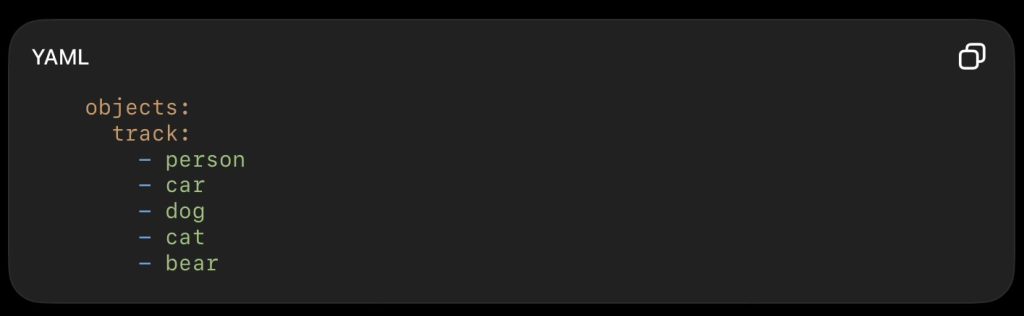
- Keep only objects supported by the YOLOv9 Coral label file:
- Restart Frigate
In Synology:
- Container Manager → Project → frigate → Stop
- Container Manager → Project → frigate → Start
Then open Frigate and check:
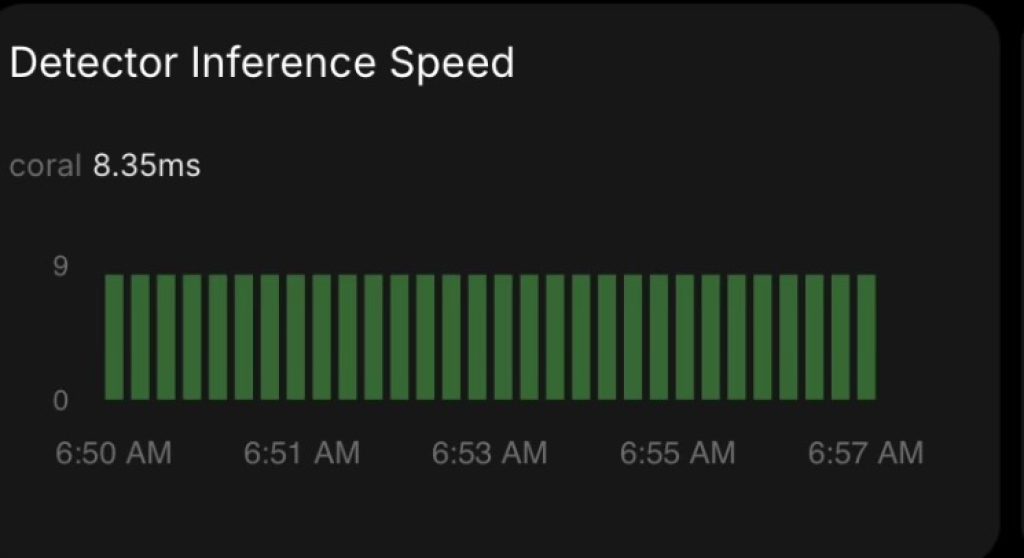
- Config > System Metrics
Detector inference speed should still show coral but speed should be slower.
Before:
After:
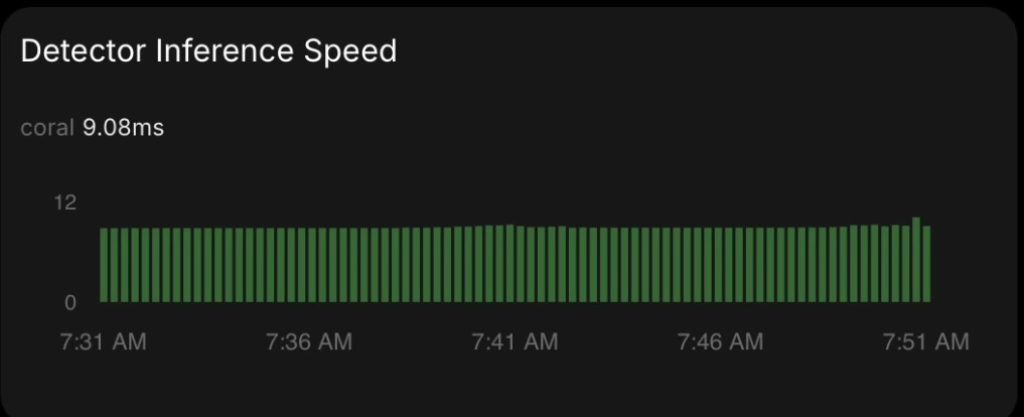
With a single camera I see inference speed between 9.0ms to 10ms. A tad slower than before when it hovered right around 8.1-8.4ms.